
![ff696c44-436d-497f-8816-44e1f18198cd[1]](https://redbrickit.co.uk/wp-content/uploads/2019/06/ff696c44-436d-497f-8816-44e1f18198cd1.png "ff696c44-436d-497f-8816-44e1f18198cd[1]")
![5a1d30e34ac6b00ff574e2a8[1]](https://redbrickit.co.uk/wp-content/uploads/2019/06/5a1d30e34ac6b00ff574e2a81.png "5a1d30e34ac6b00ff574e2a8[1]")
![hewlett-packard-logo-black-and-white[1]](https://redbrickit.co.uk/wp-content/uploads/2019/06/hewlett-packard-logo-black-and-white1.png "hewlett-packard-logo-black-and-white[1]")
Sales & Support
01778 393495
Whether you're using your computer for work or your personal life, it's a good time to master some of Windows 11's productivity features. These built-in tricks can help you get those most out of Window 11.
Open pinned items from your Taskbar with keyboard shortcuts
If you've pinned programs to your Taskbar at the bottom of your screen to create a shortcut, you don't have to click the icons to open them.
Instead use the keyboard shortcut Windows Key + Number key, with the number key corresponding to the position of the pinned program on the taskbar. Fore example, Windows key + 2 will open the second pinned item on the Taskbar.
Take a screenshot on Windows 11
It's a basic one, but it's amazing how easy it is to forget how to take a screenshot on your laptop or desktop when you don't do it often.
To capture just one part of your screen, hit the Windows key + Shift + S to open a tool called Snip & Sketch, which allows you to click and drag to create a screenshot, which is saved to your clipboard.
Minimize every window except the active one
If your desktop screen has gotten too crowded with open windows, you can quickly minimize them all except the one you are currently working in. You'll need to turn this on in Windows 11 by heading to Settings, then System, then Multitasking and turning on Title bar window shake.
Open the 'secret' Start menu
You know that to get the Start menu, you hit the Windows icon in the bottom left hand corner of the screen or on your keyboard, but Windows 11 includes a lesser-known second Start menu. This menu makes accessing important features like the Command Prompt, the Control Panel and the Task Manager much easier.
You can access it two different ways, either by pressing the Windows key + X, or right click the Windows icon/Start button.
01778 393495
hello@redbrickit.co.uk

© 2023 Redbrick IT Solutions LTD
REDBRICK IT SOLUTIONS COMPANY REG. NO: 8929433 VAT NO: 211 6153 55
Sales & Support
01778 393495
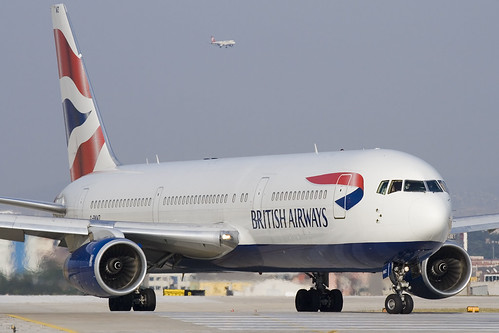
"g-bnwz_2"by ltbaspotter - Bulent Kavakkoru/SpotTR is licensed under CC BY-SA 2.0


In response to a data breach that affected some 500,000 customers, the Information Commissioner's Office plan to hit the company with one of the largest fines since GDPR law was introduced.
On Monday (8th) The UK’s Information Commissioner's Office revealed its plan to hit British Airways with a £190 million fine over their 2018 data breach, one of the ICO's largest fines since new GDRP rules came into effect on May 2016.
BA disclosed the breach in September, which saw people visiting its website being diverted to a fraudulent site, where private details including name, billing address, email address and payment information were gathered by unscrupulous hackers.
Initially, BA indicated the breach occurred between August and September, affecting some 380,000 card payments. Later the airline suggested that another 185,000 people who had made bookings between April and July may have also been affected by the scam.
Elizabeth Denham, Information Commissioner, said when it comes to people’s personal data "the law is clear"
"When you are entrusted with personal data you must look after it," she added. "Those that don't will face scrutiny from my office to check they have taken appropriate steps to protect fundamental privacy rights."
The fine represents 1.5% of BA's global turnover for the year. Under GDPR, companies can be fined the equivalent of £17 million or 4% of their total annual worldwide revenue in the preceding financial year, whichever is greater.
"We are surprised and disappointed in this initial finding from the ICO. British Airways responded quickly to a criminal act to steal customers' data," Alex Cruz, BA chief executive said. "We have found no evidence of fraud/fraudulent activity on accounts linked to the theft. We apologise to our customers for any inconvenience this event caused."
Willie Walsh, chief executive of the International Airlines Group, stated that the company plans to appeal the fine.
01778 393495
hello@redbrickit.co.uk
© 2023 Redbrick IT Solutions LTD
REDBRICK IT SOLUTIONS COMPANY REG. NO: 8929433 VAT NO: 211 6153 55
IT Consultancy & Project Management
RedBrick It Solutions offers professional IT consulting services to organisations across the East of England & East Midlands that are seeking expert advice and guidance on all things IT.
We provide the following IT Consultancy services.
· Complex IT project planning and delivery
· It strategy roadmap implementation
· Ongoing IT advisory services
· Ongoing IT Security advisory services
· Cloud Services and Implementation
· Network Security Consultation
· Business Continuity & Disaster Recovery Planning